

How To Play Hytale Online: Create Server or Join Friends
 4113
4113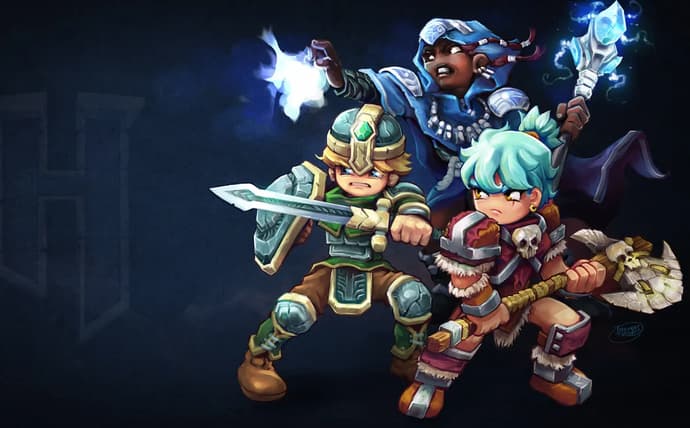
Hytale is a multiplayer sandbox game that lets you adventure with friends in the world of Orbis or create your own worlds using in-game development tools. You can play solo or join up with others for a shared experience. When it comes to multiplayer, Hytale provides options for both small groups and large communities. Whether you want to quest with a few friends or join a massive server, there are ways to connect and play together.
Play Hytale With Friends
Hytale made a significant impact on its launch day, with over 2 million active players jumping into the game. This surge in popularity has left many wondering how to play Hytale with friends, as the shared experience can turn it into your new favorite game, unless you’re devoted to Minecraft until the end.
There are three primary methods to meet up with friends online in Hytale. You can host your own world and invite others, join a world that a friend is hosting, or connect to a dedicated server. Each approach offers a different way to play, catering to various group sizes and playstyles.
Method 1: Play Online In Your World
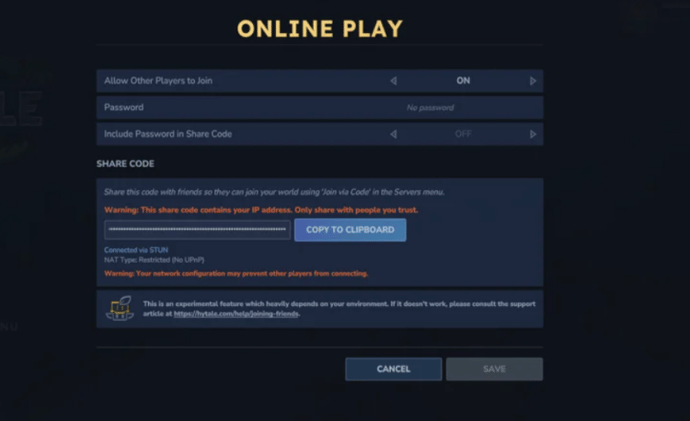
To create your server in Hytale, you can start a world and then invite friends to join you.
- Press the Escape key to open the main menu.
- Choose "Online Play."
- Turn the "allow other players to join" option on.
- Click "save" to accept the change.
- A code will be generated that you can copy and share with those you want to invite.
Note: The generated code includes your IP address, so only share it with people you trust.
Method 2: Join Your Friends' World
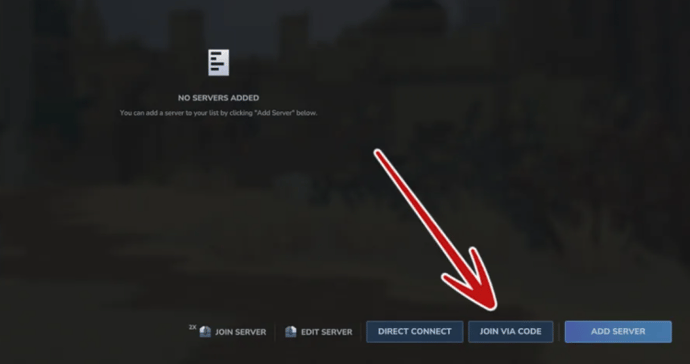
If you have a friend's world code, you can join their game directly from the main menu.
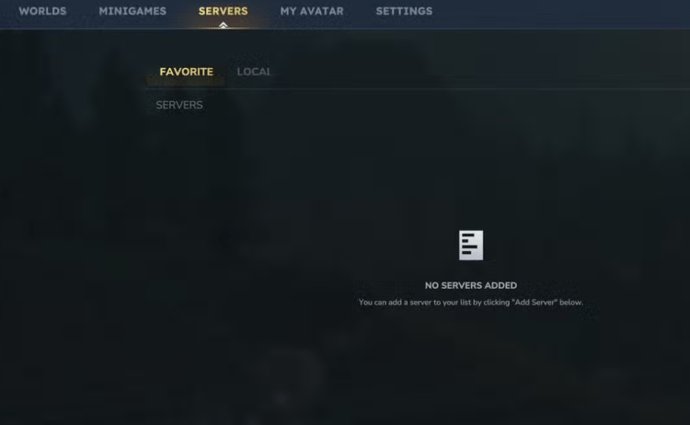
- From the main menu, before joining a world, choose "servers."
- Select "join via code" and enter the invitation code.
- Choose "connect" to join your friend's world.
Note: Hytale worlds are not persistent, meaning you can only access a friend's world if the host is online and in the game.
Method 3: Hytale Official Servers
Hytale supports dedicated servers, though the developer, Hypixel Studios, is not hosting any official servers at launch. You have the option to purchase a server from a third-party host or set one up yourself. Several hosting groups have been tested to ensure smooth performance.
Note: Dedicated servers have higher player caps and are likely to perform more efficiently with more people playing, as they don't have to render the game like a standard server does.
Hytale Early Access
Hytale is not available on Steam or the Epic Games Store. To play, you need to download the launcher from the official Hytale website. The game's focus on user-generated content and modding has drawn comparisons to Minecraft, and it remains to be seen if Hytale will cultivate a similarly massive and creative community. Its future may lie in becoming a platform for creators, much like its blocky predecessor.

Vitalii Diakiv writes gaming blogs and guides, focusing on the latest announcements and games matched with pop-cultural phenomena. Second, he covers esports events Counter-Strike 2, Marvel Rivals, League of Legends, and others.

 Dota 2 PGL Wallachia Season 7 OverviewEverything about PGL Wallachia Season 7: schedule, teams, format, and $1M prize pool.
 Dima Ostapchuk
 Genshin Impact Version 6.5: Leaked Banners, Endgame Resets and New ZonesGet ready for Genshin Impact Version 6.5. Explore upcoming banners featuring new Geo support Linnea, updated endgame challenges, and the highly anticipated Dornman Port map expansion.
 Chillplay
 Arachne: Rewards & Quests of Marathon FactionExplore Arachne in Marathon: contracts, upgrades, rewards, and tactical tips for dominating PvP. A complete guide to the faction built around combat progression.
 fauesde
 Passion UA announces partnership with LORGAR to power player performance and fan experiencePassion UA announces LORGAR as its official technical partner, delivering Ready-to-Play solutions, fan giveaways, and a fully powered team house ecosystem.fauesde