

How to Use Drones in StarRupture: Unlocking, Control & Building
 2746
2746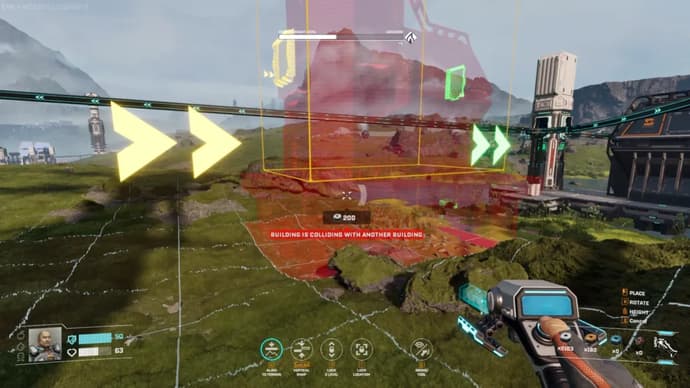
In StarRupture, drones are the key to automating the complex production chains required for progress. I use them to move resources from excavators to smelters and beyond, freeing me up from manual transport. The game features two distinct drone functions: the Building Drone for construction and automated drones for logistics. Mastering both is critical for creating large-scale, efficient bases. This guide covers how to unlock and use these systems.
Why Are Drones Necessary in StarRupture?
StarRupture drones automate the entire resource collection and crafting process. They transport materials between every stage of production, from the Ore Excavator to the Orbital Cargo Launcher. Without them, I would have to manually move every piece of ore and every crafted component, making large-scale production impossible.
How to Unlock & Build With Drones?
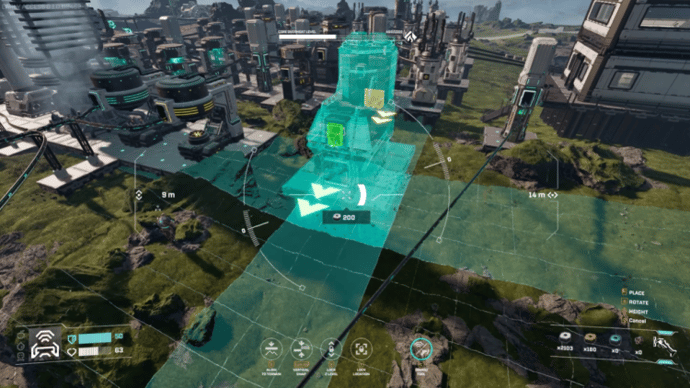
I unlocked the Building Drone by reaching Level 4 with the Clever Robotics corporation. This is done by delivering materials like Wolfram Wire and Wolfram Plate through the Orbital Cargo Launcher. The reward unlocks a mobile camera that changes how you approach construction.
- Unlock the Building Drone at Clever Robotics Level 4.
- Press C while in building mode (B) to activate the drone camera.
Using the drone fundamentally changed StarRupture building system. After pressing C to activate the drone camera, I use WASD to move, Spacebar to go up, and CTRL to go down. This perspective is invaluable for placing structures precisely and planning out complex rail networks from above. The drone uses materials directly from my inventory and has a limited range, so I cannot build too far from my character's position.
Rails Management for Drones
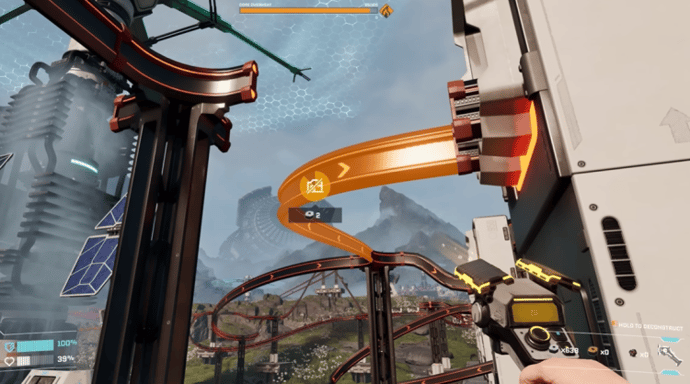
Logistics drones run on a rail system that connects your various production buildings. I build rails leading from an excavator and snap them into the inputs of other machines, following the directional arrows shown on each building. This network is the circulatory system of my base.
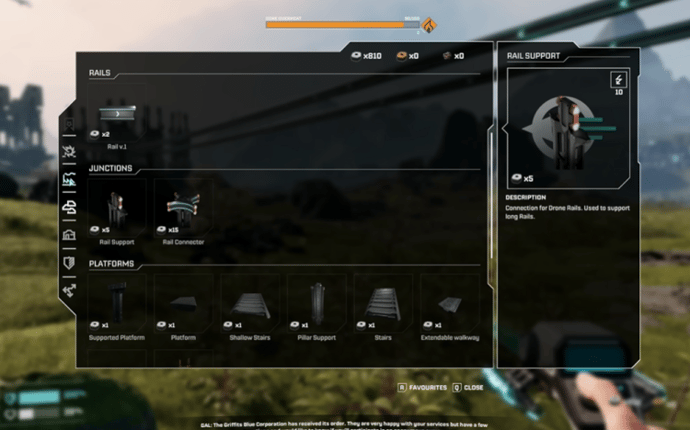
Rail | Use |
Standard Rail | Moves drones from one area to another. |
Rail Support | Supports a rail over a long distance. |
Rail Connector | Acts as an intersection to connect one rail to multiple objects. |
Multirail 3 | Allows three drones to run side-by-side on three rails. |
Rail Modulator 3 | Splits one rail into three. |
Rail v.2 | A faster version of the standard rail. |
Multirail 5 | Allows five drones to run side-by-side on five rails. |
Rail Modulator 5 | Splits one rail into five. |
Rail v.3 | The fastest version of the standard rail. |
Rails also transfer power, which is essential for keeping your automated systems running.
Rails Upgrading
To upgrade rails in StarRupture, I had to level up the Clever Robotics corporation. This faction provides all the unlocks for improved drone logistics and rail components. While Level 1 provides the basic rails and connectors, I gained access to Multirails at Level 5. Reaching Level 6 unlocked the faster Rail v.2, and more Multirail options became available at Level 10.

Vitalii Diakiv writes gaming blogs and guides, focusing on the latest announcements and games matched with pop-cultural phenomena. Second, he covers esports events Counter-Strike 2, Marvel Rivals, League of Legends, and others.



 Marathon Roadmap: What Awaits Players in Seasons 1 and 2Marathon’s first two seasons are detailed by Bungie. Discover how the seasonal system works, what DEATH IS THE FIRST STEP and NIGHTFALL add, and what players can expect after launch.
 fauesde
 Dota 2 PGL Wallachia Season 7 OverviewEverything about PGL Wallachia Season 7: schedule, teams, format, and $1M prize pool.
 Dima Ostapchuk
 Genshin Impact Version 6.5: Leaked Banners, Endgame Resets and New ZonesGet ready for Genshin Impact Version 6.5. Explore upcoming banners featuring new Geo support Linnea, updated endgame challenges, and the highly anticipated Dornman Port map expansion.
 Chillplay
 Arachne: Rewards & Quests of Marathon FactionExplore Arachne in Marathon: contracts, upgrades, rewards, and tactical tips for dominating PvP. A complete guide to the faction built around combat progression.fauesde